Your next video call deserves the best.
Background blur with feathered edges and temporal stability. No halo around your hair, no flicker between frames.
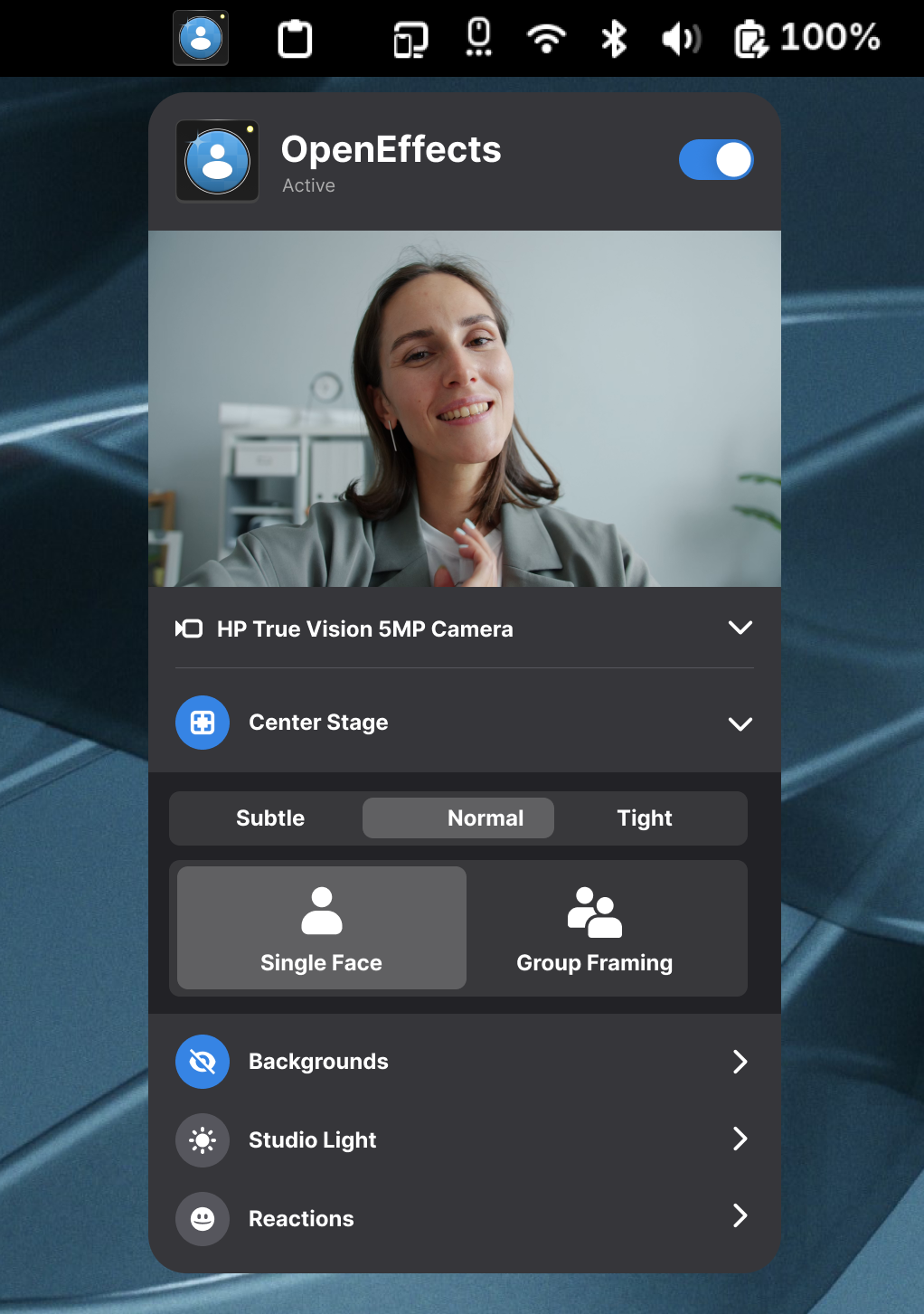
Face and body-tracking crops and zooms to keep you or your whole group centered as you move around.
Swap your room for a solid color or your own image. Whatever is behind you stays behind closed doors.
Face-aware tone mapping lifts and separates you from the background, like a softbox rendered in software.
Hand gestures trigger animated overlays: thumbs-up, heart, and more. Or fire them straight from the CLI.
Zoom, Meet, Discord, OBS and the rest all see the improved feed. Set it once and forget it.
Free & open source · Works with every app · No GPU required
…and every other app that can open your camera. Set it once, upgrade them all.
One helper between your camera and everything else.
No extra window to keep open. OpenEffects works quietly in the background and hands every app a better version of your camera.
- 01
Turn it on
OpenEffects picks up your camera and starts working in the background.
Ready - 02
Pick your look
Blur, framing, lighting and reactions, easily flip them on and off live.
Live - 03
Join any call
Every app sees the improved feed automatically. No setup per app.
Connected - 04
Stays private
Everything runs on your device. Nothing is uploaded, ever.
On-device
See every effect on a real camera feed.
Swipe through real previews from each mode.

Portrait Mode
Blurred room, sharp you

Center Stage
Stay framed as you move

Background Replacement
Swap your room for anything

Studio Light
Soft, even lighting

Reactions
Wave, thumbs-up, heart, whatever your hands desire!
Get it from Flathub.
The Flatpak is the quickest path on any distro. Prefer native packages? Grab the .pkg, .rpm or .deb from the latest release and install them together.
AUR, COPR and a PPA are coming soon.
flatpak install flathub in.co.funinkina.OpenEffectssudo pacman -U openeffectsd-*-x86_64.pkg.tar.zst openeffects-*-x86_64.pkg.tar.zstsudo dnf install ./openeffectsd-*.x86_64.rpm ./openeffects-*.x86_64.rpmsudo apt install ./openeffectsd_*_amd64.deb ./openeffects_*_amd64.debThen drive it from anywhere
openeffectsctl portrait-blur --on --strength 70
openeffectsctl center-stage --zoom tight
openeffectsctl background ~/Pictures/office.jpg
openeffectsctl react thumbs-up
openeffectsctl toggle reactionsToggle effects from the top bar.
The companion GNOME extension drops OpenEffects straight into Quick Settings. Flip blur, framing, studio light and reactions on or off mid-call. No window to find, no command to type.
- One tap in Quick Settings to switch any effect on or off.
- A live indicator, so you always know what's running.
- Talks to the same background daemon that is always in sync with the app and CLI.